For Tripo, Meshy and Mixamo models · from $1

Your model has a face. Riggle makes it move.

Tripo, Meshy and marketplace models come rigged for the body and dead from the neck up — no visemes, no blinks, nothing to drive. Upload your GLB, trace the lips and click the eyes, and about a minute later you have a validated VRM 1.0 that talks, blinks and emotes. You watch a video of every expression before you spend a dollar on it.

GLB or VRM in · VRM 1.0 out · preview before you pay · from $1 a model

The Riggle app: a model's face rendered on the left with the lip outline traced and both eyes marked, and the resulting expressions — aa, ih, ee, oh, ou, blink, happy, angry, surprised — playing back on the right.

The rig stops at the neck — and the face is the part that has to act

  • AI generators and marketplace bases give you a rigged body with a frozen face. No visemes, no blink shapes, often no jaw bone — so the model can walk and wave but can't say a word.
  • Every way out of it costs you: a day in Blender sculpting shape keys, $48–130 for a plugin you still have to drive yourself, or a freelancer and a day of waiting — repeated every time you tweak the mesh.

How it works

Twenty seconds of your attention. A talking avatar in return.

1

Upload your rigged model

Drop in a .glb from Tripo, Meshy, Mixamo or your own pipeline — or an existing .vrm to re-rig. Riggle normalises the scale, fixes the facing, bakes an A-pose to T-pose and renders your model's face straight on.

2

Trace the lips, click the eyes

Outline the mouth, drop a point inside it, tag the upper and lower lip and click each eye centre. That's the whole job. You know where your model's lips are — pointing at them takes twenty seconds and gets a result guessing can't.

3

Riggle rebuilds the mouth

Your outline becomes a real lip mask on the mesh: Riggle flood-fills it across the surface, finds the cavity rim and zips the lips shut into a proper closed seam. The visemes are then genuine re-opens of your model's own mouth geometry — not a Gaussian bulge in the middle of the face.

4

Watch it, then download

You get a video of every expression playing back — aa, ih, ee, oh, ou, blink, left and right wink, happy, angry, surprised — plus a head turn. Like it? Download a validated VRM 1.0. Don't? Re-mark and run it again for free until you do.

Why Riggle

A dollar a model, and the mouth actually closes

You spend twenty seconds. Mapping the skeleton, rebuilding the mouth, rendering the preview and validating the file are all automatic.

Real geometry

A mouth that actually closes

Riggle welds the mesh across import seams, flood-fills your traced lip region and zips it shut along a seam biased toward the upper lip — so the jaw does the closing, like a real mouth. Rest pose is a closed mouth; the visemes open it.

Made for AI models

Open-mouthed input is a feature

Models generated with an open mouth carry real cavity geometry — teeth, tongue, an inner rim. That's the asset most pipelines throw away, and it's what makes Riggle's visemes look like speech instead of a stretched texture.

See it move

Video preview, not a screenshot

Every expression is rendered and encoded into a short video with the same three-vrm stack your app will use, so what you watch is what you ship. Each shape is pixel-checked against the neutral face to catch a dead morph before you pay.

Free iteration

Re-mark as often as you like

Tokens are spent on downloads, not attempts. Trace the lips again, nudge the eye centres, run it once more — you only pay when you take the model home.

Riggle vs. the alternatives

The others automate the easy half or charge you for the hard one

VRoid tools only touch VRoid topology. FACEIT and Polywink stop at FBX. A freelancer does great work in a day for the price of a month of Riggle.

HANA_ToolFACEITPolywinkFiverr riggerRiggle
Works on AI-generated / custom topology
Outputs a ready-to-stream VRM 1.0
No Blender, Unity or plugins
Video preview + automated validation
Your effort per modelOne clickHours in BlenderNoneNone~20 seconds
TurnaroundInstantDIY~24h~1 dayAbout a minute
PriceFree · VRoid only$48–130Studio quote$10–100/modelFrom $1/model

HANA_Tool is excellent — for VRoid models. The moment your model comes from an AI generator or a marketplace, the ecosystem sends you to Blender. That's the gap Riggle fills, and the twenty seconds of clicking is the price of not going there.

Pricing

Tokens. Spent on downloads, not attempts.

Every account starts with enough tokens to rig a model for free. Marking, previewing and re-running cost nothing — a download costs 10 tokens, about $1 a model.

Free

$0

Rig a model start to finish and see the real output.

  • 10 tokens a month — one full model
  • The same pipeline paying users get
  • Video preview of every expression
  • Unlimited re-marking and previews
  • Validated VRM 1.0 download

Pro Yearly

$99/ year

Two months free, same everything.

  • 100 tokens every month, billed once a year
  • Everything in Pro Monthly
  • Priority on new pipeline features

Prices in USD. Prefer no subscription? A one-time 100-token pack ($14.99) covers 10 downloads and stays valid for a year. Downloads cost 10 tokens each; marking, previews and re-runs are always free.

Honest about what this is

Riggle asks for twenty seconds of clicking instead of pretending to be one-click, and here's why: on continuous geometry no automatic falloff can tell a lower lip from a chin — we tried four approaches and the whole lower face smeared every time. Your traced lip line fixes that in one step, and everything after it is automatic. Results are best when the model was generated with its mouth open, since the cavity geometry is what the visemes re-open; a sealed, painted-on mouth has less to work with and Riggle will carve one instead. You watch the video preview before spending a token, so you always see the real result first.

Questions creators ask

Why do I have to click anything? Isn't this supposed to be automatic?

Everything except the marking is automatic. The marking exists because automatic mouth detection genuinely doesn't work on arbitrary meshes: on continuous geometry there is no reliable way to tell a lower lip from a chin, so procedural approaches drag the whole jaw and cheeks along. Twenty seconds of your clicks turns a mediocre result into a good one, so we ask.

What exactly do I get back?

A VRM 1.0 file with the five visemes (aa, ih, ee, oh, ou), blink plus independent left and right winks, happy, angry and surprised expressions, and eye-bone look-at when your model has eye bones. Every shape is rendered and pixel-checked against the neutral face before delivery, and you get the preview video and stills alongside the model.

What models can I upload?

Any rigged humanoid .glb — Tripo, Meshy, Mixamo or your own export — plus existing .vrm files you want re-rigged. The body rig has to be there already; Riggle maps it to the VRM humanoid skeleton, rescales the model to human height and bakes an A-pose to T-pose automatically.

Does it work if the model's mouth is closed?

It works best on models generated with an open mouth, because the cavity geometry — teeth, tongue, inner lip rim — is what the visemes re-open. For flat or sealed mouths Riggle can carve a cavity from your outline, but the result is coarser. If you control the generation prompt, ask for an open mouth.

What if the result looks wrong?

Re-mark it. The video preview comes before payment, and tokens are only spent when you download. Trace the lips differently or move the eye points and run it again as many times as you want — re-runs are free.

Do I need Blender or Unity?

No. Everything runs in your browser: upload, mark, watch, download. Blender does run on our servers to do the actual work, but you never see it.

Is this perfect sync / all 52 ARKit blendshapes?

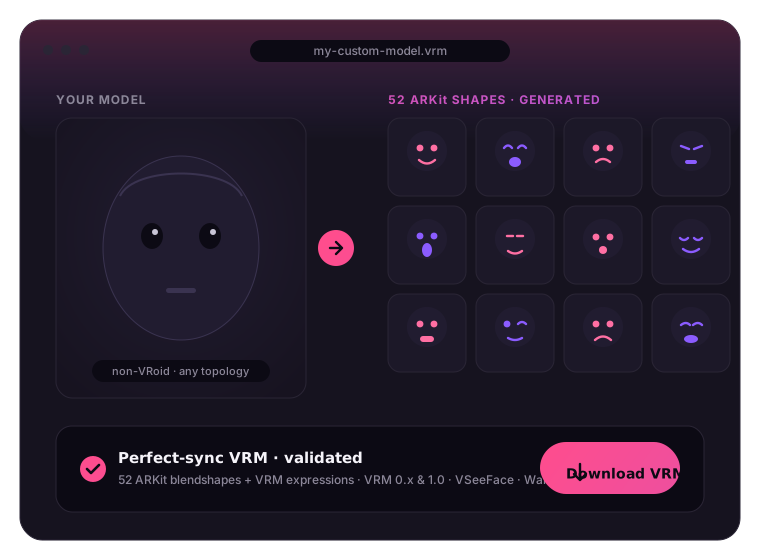
No, and we'd rather say so plainly. Riggle produces the VRM 1.0 expression set — visemes, blinks, emotions and look-at — which is what VRM apps drive for speech and reactions. Full 52-shape ARKit perfect sync is a different, larger job and it's on our roadmap, not in the product today.

Do my tokens expire?

Plan tokens refill every month and don't roll over. One-time pack tokens stay valid for a year. Downloading a model you already paid for is always free, even months later.